
Organiseer een PRO-competitie met digitaal wedstrijdformulier
Wat je bereikt: een competitie die klaar is om te spelen — clubs erin, teams ingeschreven, wedstrijdschema gegenereerd en op speeldagen geplaatst, de eerste speeldag (jornada) gepubliceerd — en een duidelijk beeld van wat er op de wedstrijddag gebeurt.
Vereisten: een account van een bond (of club) met toegang tot de Competition Manager. Zie De Competition Manager openen.
Lees de transcriptie
League day.
Fixtures in a spreadsheet, fourteen group chats, paper scoresheets… and who's refereeing court two?
Running a league shouldn't feel like a second job. Let's fix that.
In Volley World, a league runs two ways: a federation league between clubs, or your club's own league, with Club PRO. Same screens, same steps.
It all starts with Create league.
The sport: indoor. The season and the category. Two legs, home and away. Best of five, because the play-off format follows the sport.
The points table, and the rulebook: PRO or amateur.
Publish!
Now, who does what? You invite the clubs.
A club that's new to Volley World registers in about two minutes. Club staff sign up their teams, and you decide what each club may do.
Players follow everything in the app… and referees get called up.
Then, step by step.
Generate matches: fourteen rounds, the whole season.
Add your playing days, and drop the rounds onto them.
Open a playing day: attach the venue, auto-assign the courts… and publish.
Players and referees get it on their phones.
Speaking of referees: invite them to your pool, and call them up.
They confirm on their phone… and their Volley World app opens a referee area of its own: what's next up, the clubs they referee for, and their refereeing record.
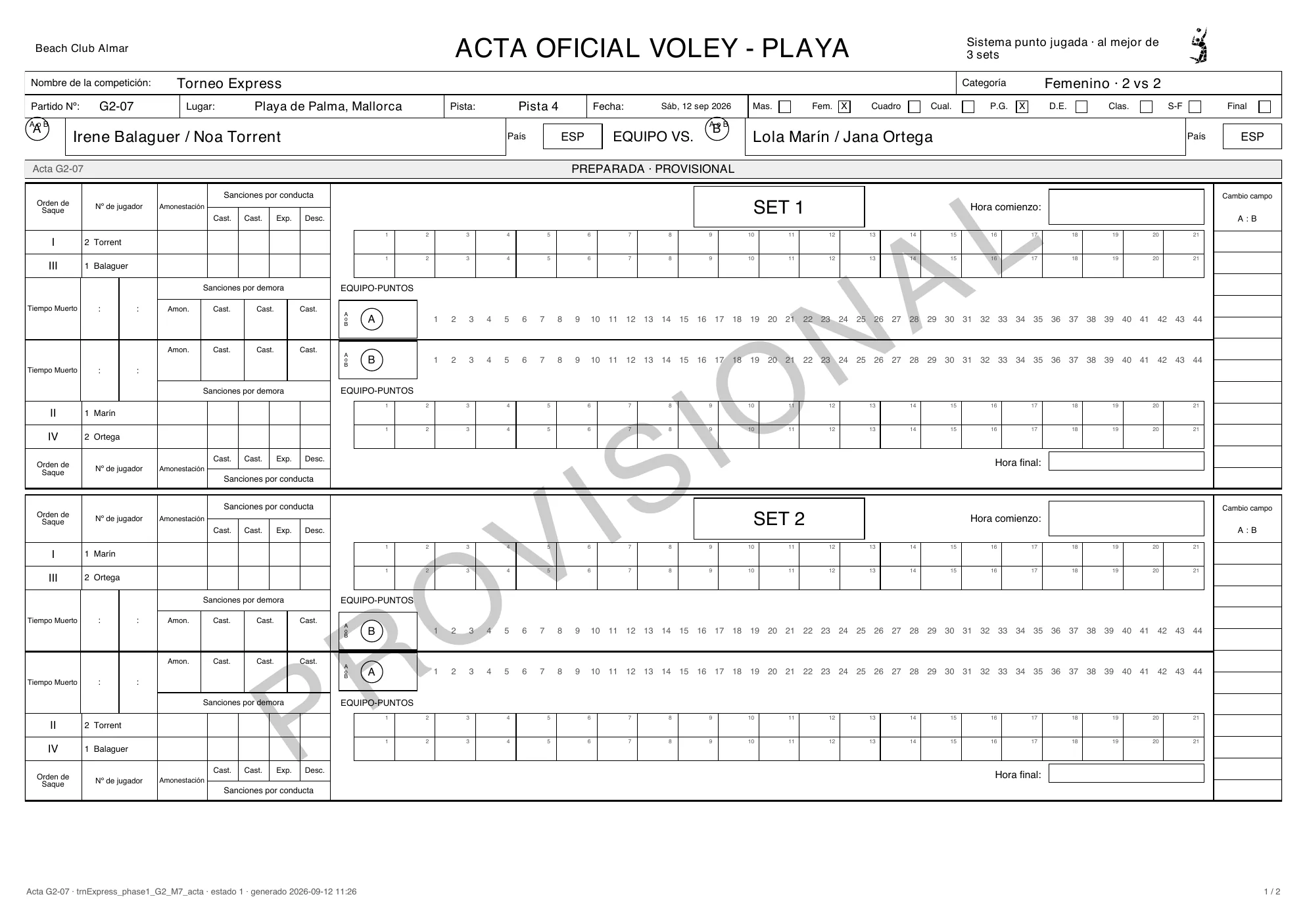
Match day! With a PRO rulebook, every match has its acta digital.
Start the playing day.
The captains sign, the referee keeps the score point by point, and everyone signs at the end.
Closed, and sealed by the server.
The signed scoresheet is ready to download.
With an amateur rulebook, the referee simply enters the final sets.
Every result updates the standings on its own.
Seed the play-offs straight from the table… and close the season.
And for every European federation: your data is hosted in the European Union.
From the first invite to the last whistle: one league, every role.
That easy!




Federation staffClubs → Invite a club: search a club that is already on Volley World and click Invite. Not on Volley World yet? Invite by email — the contact person gets the invitation, registers the club for free and it joins your league. Playing alone? Invite nobody and skip ahead.
Club staffTeams arrive three ways: club staff register them from their own view of the league, captains sign up in the Volley World app through their club’s sign-up link, and you can add them by hand — or add dummy teams for a test run.
Federation staffMatches → Generate matches creates every match of the regular season at once, grouped in rounds by entry ranking: #1 meets the last entry in round 1. A round is not a playing day yet.
Federation staffPlaying days → Add playing day. Click several dates to add several jornadas at once, and pick the host club. A day without a venue is flagged — it can be planned, but not published.
Federation staffBack in Matches, drag a whole round (or a single match) onto a playing day — or let Distribute rounds put one round on each day, in order.
Federation staffOpen the jornada: Attach a venue, place the matches on the courts with Auto-assign, Publish playing day, and invite your referees. The referee answers on her phone.
RefereeStart playing day opens the scoresheets. The referee opens the electronic scoresheet in the Volley World app: the captains read and sign, the match is scored point by point, and the 1st referee signs last and closes the acta.
PlayerEvery closed result recomputes the standings — in the Competition Manager and in every player’s app. Play-offs are seeded from this table when the regular season is done.
De vier partijen
Section titled “De vier partijen”| Partij | Werkt in | Wat ze doen |
|---|---|---|
| Bondsstaf (de organisator) | De bondsapp en de Competition Manager | Maakt de competitie aan, nodigt de clubs uit, genereert het wedstrijdschema, maakt de speeldagen (jornadas) aan, stelt locaties, velden en scheidsrechters in, publiceert en start elke speeldag, corrigeert uitslagen, sluit het seizoen af. |
| Clubstaf | De eigen Competition Manager van hun club | Accepteert de uitnodiging voor de competitie (of registreert de club vanuit de uitnodigingsmail), schrijft teams in en — als je dat toestaat — organiseert speeldagen als thuisclub, bewerkt selecties of voert uitslagen in. |
| Spelers | De Volley World-app, of de inschrijflink van de club in elke browser | De aanvoerder schrijft het team in via het inschrijfformulier van de competitie. Iedereen volgt het wedstrijdschema en de stand. |
| Scheidsrechters | De Volley World-app (telefoon of tablet) | Sluiten zich aan bij je scheidsrechterspool, bevestigen de speeldagen waarvoor ze zijn opgeroepen en gebruiken het digitale wedstrijdformulier: de aanvoerders tekenen, de score wordt punt voor punt bijgehouden, en bij het afsluiten gaat de uitslag naar de stand. |
Het competitiedashboard
Section titled “Het competitiedashboard”Open een competitie en je staat op haar dashboard: de marineblauwe balk links — Overview · Settings · Clubs · Teams · Fixtures · Calendar · Dates · Standings · Play-offs · Officials · Close — en een kop met de naam van de competitie, Back to leagues, een regel zoals League · 2026/27 · Cadete · A2 · Mixed en de status van de competitie (Draft, Registration, Running, Play-offs, Closed).
Overview beantwoordt Where the league stands met een stappenbalk — Setup → Clubs → Teams → Matches → Playing days → Running → Play-offs → Closed — en somt What needs attention op: nog geen enkele club heeft geaccepteerd, nog geen speeldagen, wedstrijden die niet aan een speeldag zijn toegewezen, dagen zonder locatie, geen reglement of geen inschrijfformulier gekoppeld.
De stappen
Section titled “De stappen”- Maak de competitie aan — formaat, rondes, thuis en uit, wedstrijdformaten, puntentabel, inschrijfformulier en prijs, waar ze wordt vermeld.
- Nodig de clubs uit — zoek een club op Volley World, of gebruik Invite by email als hij er nog niet op staat. Speelt alleen je eigen club of bond? Nodig niemand uit en sla deze stap over.
- Teams schrijven zich in — met de hand, als dummyteams voor een testronde, of via de inschrijflinks van de clubs en je inschrijfformulier.
- Genereer de wedstrijden — Generate matches maakt elke wedstrijd van de reguliere competitie aan uit de bevestigde teams, gegroepeerd in rondes volgens de entry ranking. Een ronde is nog geen speeldag: niets heeft een datum.
- Maak de speeldagen aan en plaats de wedstrijden — Add playing day in Playing days, en sleep daarna in Matches de rondes naar de dagen (of gebruik Distribute rounds). Het speelschema van de competitie bestaat zodra de wedstrijden op hun speeldagen staan.
- Richt elke speeldag in — Attach a venue, Add courts, Assign referees, en daarna Publish playing day.
- Wedstrijddag — Start playing day; scheidsrechters gebruiken het digitale wedstrijdformulier op hun telefoon en elk afgesloten wedstrijdformulier werkt de stand bij.
- Stand & play-offs, en daarna sluit het seizoen af.
Wie wanneer aan zet is
Section titled “Wie wanneer aan zet is”- Jij (bondsstaf) doet elke stap in de Competition Manager — en kunt achteraf alles corrigeren.
- Clubstaf beantwoordt de uitnodiging, schrijft hun teams in en organiseert, als je ze dat toestaat, speeldagen als thuisclub. Zie Wat elke club mag.
- Spelers schrijven zich in via het formulier en volgen het wedstrijdschema en de stand.
- Scheidsrechters bevestigen hun speeldagen en houden de score bij op het digitale wedstrijdformulier.
Probleemoplossing
- Teams kunnen zich niet inschrijven. Een nieuwe competitie begint met gesloten inschrijving. Zet de competitie in haar kop op Registration open — en koppel in Settings een inschrijfformulier als teams zichzelf moeten inschrijven.
- “Create the playing days in the Calendar first”. Wedstrijden worden op speeldagen neergezet, dus de dagen moeten bestaan voordat je wedstrijden kunt plaatsen.
- Een speeldag kan niet worden gepubliceerd. Hij heeft nog geen locatie: Add a venue to publish.
- De competitie staat nog op Draft, hoewel er al wedstrijden gespeeld worden. Het publiceren van speeldagen verandert de status van de competitie niet. Zet de competitie bij de start van het seizoen rechtsboven op Running.