
Your Youth Trainings
A youth program is not just “a club with younger members”. Almost everything about it works differently from an adult section — and the way youth training actually runs in a volleyball club is something most management tools either overlook or support only in part, which leaves clubs improvising around their software.
Volley World solves this with parent–child accounts.
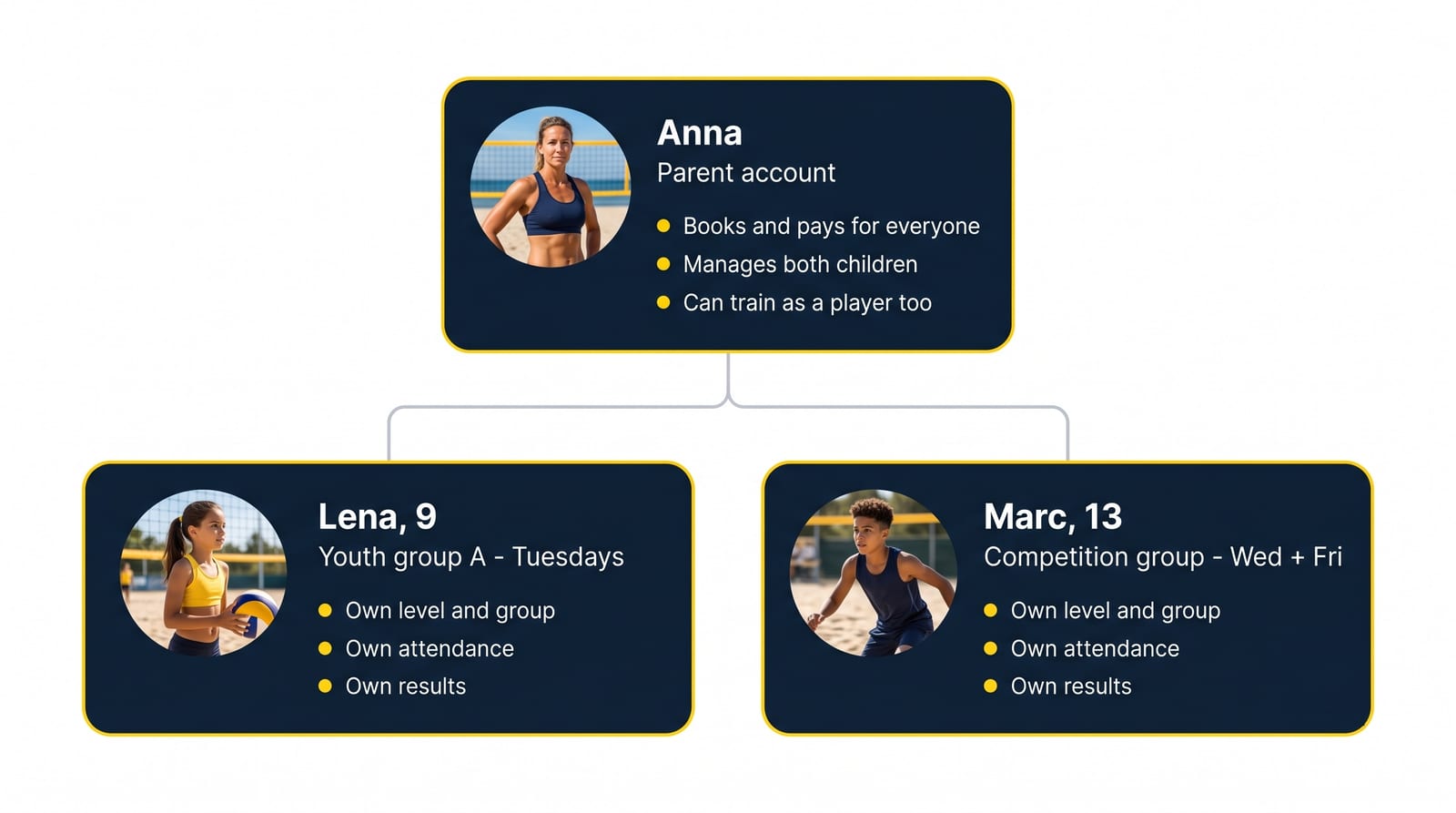
One adult account at the top, one real player account per child underneath. Anna books and pays for the whole family and can still train herself; Lena and Marc each keep their own group, their own attendance and their own results.
Watch it
Section titled “Watch it”The complete walkthrough — training groups by age and level, the membership form that registers the children, restricting each session to its group, and how a parent then books and pays for the whole family.
 Loads YouTube only when you press play
The three challenges
Section titled “The three challenges”1. The parent acts, the child plays
Section titled “1. The parent acts, the child plays”Parents want to sign their children up for classes, pay for them, and cancel when a child is ill. But the child is the one on the court. If the club books everything under the parent’s name, the attendance lists, the group rosters and the results are all wrong.
A family account separates the two. The parent holds the control: they book, they pay, they cancel, they manage the account. The child holds the identity: the sign-up, the spot in the group and the attendance belong to the child.
And in beach volleyball the parent is usually a player too. They train in the adult group, often on the same evenings their children train in the youth group — so the adult account is never just an administrative shell. It is a full player account with its own trainings, its own level and its own results, which also manages the children.
That’s what one login gives a beach family: the parent sees their own sessions and books them for themselves, and from the same screen sees each child’s group, books the child’s sessions, and pays for everyone. Nobody’s training disappears into somebody else’s calendar.
2. Every child is a different age and a different level
Section titled “2. Every child is a different age and a different level”A youth program is never one group. It is a nine-year-old beginner on Tuesdays, a thirteen-year-old on Wednesdays and Fridays, and a sixteen-year-old training with the competition group. Parents often have two or three children in three different schedules — and they need to arrange that once, not in three separate accounts.
In Volley World each child is a full member of the club with their own level and their own member groups. A parent manages all of them from a single Family screen, and each child appears in exactly the training schedule that fits them.
3. Competition results belong to the child
Section titled “3. Competition results belong to the child”Youth players progress. That progress — matches played, wins and losses, level evolution, ranking position — has to accumulate on the child’s own record, so that next season the coach can see how far the player has come and place them in the right group.
Because a linked child is a real account and not a line item on the parent’s profile, everything the child plays is credited to them. The parent can see it; they never absorb it.
How Volley World handles it
Section titled “How Volley World handles it”Children are added to a normal account — there is no separate “kids product” to buy.
There are two ways a child ends up linked to a parent:
- The club asks for it. A club adds an Add Children question to its customizable membership form. When a parent joins the club and fills the form in, the children are created and enrolled in the same step.
- The parent does it themselves. Any user can open their profile, go to Family, and add a child at any time.
From there the parent account can buy memberships, session packs or single classes for each child, so the child can sign up for the sessions your club runs — exactly which of these a family needs depends on how your club is configured.
And the parent decides how much independence each child gets: whether the child can open the app at all with their own login, and what their privacy settings are.