
Organize a PRO League with Acta Digital
What you’ll achieve: a league that is ready to play — clubs in, teams signed up, fixtures generated and placed on playing days, the first jornada published — and a clear idea of what happens on match day.
Prerequisites: a federation (or club) account with access to the Competition Manager. See Open the Competition Manager.
Read the transcript
League day.
Fixtures in a spreadsheet, fourteen group chats, paper scoresheets… and who's refereeing court two?
Running a league shouldn't feel like a second job. Let's fix that.
In Volley World, a league runs two ways: a federation league between clubs, or your club's own league, with Club PRO. Same screens, same steps.
It all starts with Create league.
The sport: indoor. The season and the category. Two legs, home and away. Best of five, because the play-off format follows the sport.
The points table, and the rulebook: PRO or amateur.
Publish!
Now, who does what? You invite the clubs.
A club that's new to Volley World registers in about two minutes. Club staff sign up their teams, and you decide what each club may do.
Players follow everything in the app… and referees get called up.
Then, step by step.
Generate matches: fourteen rounds, the whole season.
Add your playing days, and drop the rounds onto them.
Open a playing day: attach the venue, auto-assign the courts… and publish.
Players and referees get it on their phones.
Speaking of referees: invite them to your pool, and call them up.
They confirm on their phone… and their Volley World app opens a referee area of its own: what's next up, the clubs they referee for, and their refereeing record.
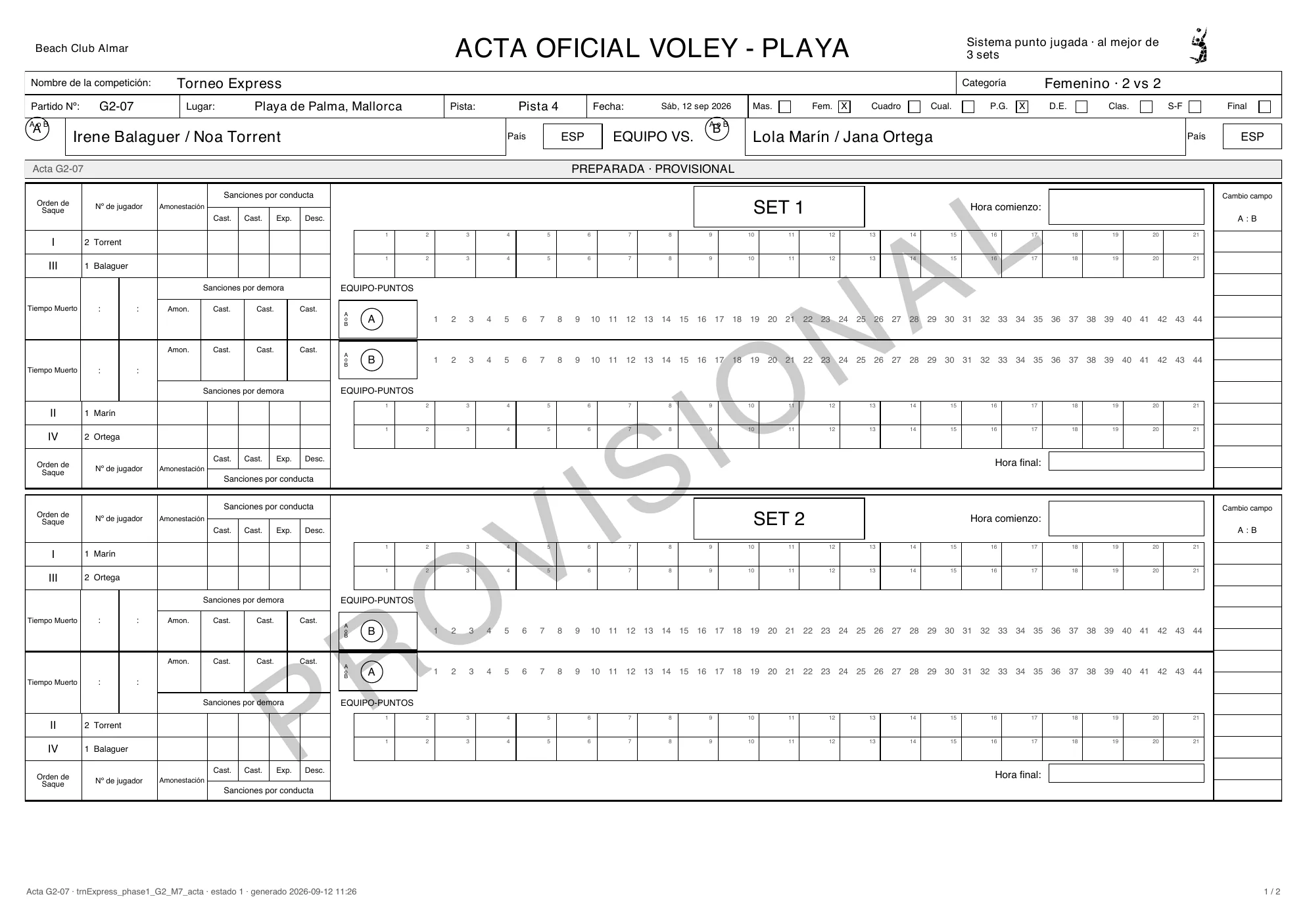
Match day! With a PRO rulebook, every match has its acta digital.
Start the playing day.
The captains sign, the referee keeps the score point by point, and everyone signs at the end.
Closed, and sealed by the server.
The signed scoresheet is ready to download.
With an amateur rulebook, the referee simply enters the final sets.
Every result updates the standings on its own.
Seed the play-offs straight from the table… and close the season.
And for every European federation: your data is hosted in the European Union.
From the first invite to the last whistle: one league, every role.
That easy!




Federation staffClubs → Invite a club: search a club that is already on Volley World and click Invite. Not on Volley World yet? Invite by email — the contact person gets the invitation, registers the club for free and it joins your league. Playing alone? Invite nobody and skip ahead.
Club staffTeams arrive three ways: club staff register them from their own view of the league, captains sign up in the Volley World app through their club’s sign-up link, and you can add them by hand — or add dummy teams for a test run.
Federation staffMatches → Generate matches creates every match of the regular season at once, grouped in rounds by entry ranking: #1 meets the last entry in round 1. A round is not a playing day yet.
Federation staffPlaying days → Add playing day. Click several dates to add several jornadas at once, and pick the host club. A day without a venue is flagged — it can be planned, but not published.
Federation staffBack in Matches, drag a whole round (or a single match) onto a playing day — or let Distribute rounds put one round on each day, in order.
Federation staffOpen the jornada: Attach a venue, place the matches on the courts with Auto-assign, Publish playing day, and invite your referees. The referee answers on her phone.
RefereeStart playing day opens the scoresheets. The referee opens the electronic scoresheet in the Volley World app: the captains read and sign, the match is scored point by point, and the 1st referee signs last and closes the acta.
PlayerEvery closed result recomputes the standings — in the Competition Manager and in every player’s app. Play-offs are seeded from this table when the regular season is done.
The four parties
Section titled “The four parties”| Party | Works in | What they do |
|---|---|---|
| Federation staff (the organizer) | The Federation app and the Competition Manager | Creates the league, invites the clubs, generates the fixtures, creates the playing days (jornadas), sets venues, courts and referees, publishes and starts each day, corrects results, closes the season. |
| Club staff | Their club’s own Competition Manager | Accepts the league invitation (or registers the club from the invitation e-mail), registers teams, and — if you allow it — hosts playing days, edits rosters or enters results. |
| Players | The Volley World app, or the club’s sign-up link in any browser | The captain signs the team up through the league’s sign-up form. Everybody follows fixtures and standings. |
| Referees | The Volley World app (phone or tablet) | Join your referee pool, confirm the playing days they are called up for, and run the digital scoresheet: captains sign, the score is kept point by point, closing it sends the result to the standings. |
The league dashboard
Section titled “The league dashboard”Open a league and you are on its dashboard: the navy rail on the left — Overview · Settings · Clubs · Teams · Fixtures · Calendar · Dates · Standings · Play-offs · Officials · Close — and a header with the league name, Back to leagues, a line like League · 2026/27 · Cadete · A2 · Mixed and the league’s status (Draft, Registration, Running, Play-offs, Closed).
Overview answers Where the league stands with a stepper — Setup → Clubs → Teams → Matches → Playing days → Running → Play-offs → Closed — and lists What needs attention: no club has accepted yet, no playing days yet, matches not assigned to a playing day, days without a venue, no rulebook or no signup form attached.
The steps
Section titled “The steps”- Create the league — format, rounds, home and away, match formats, points table, sign-up form and price, where it is listed.
- Invite the clubs — search a club on Volley World, or Invite by email if it is not there yet. Only your own club or federation plays? Invite nobody and skip this step.
- Teams sign up — by hand, as dummy teams for a test run, or through the clubs’ sign-up links and your sign-up form.
- Generate the matches — Generate matches creates every match of the regular season from the confirmed teams, grouped in rounds by entry ranking. A round is not a playing day yet: nothing has a date.
- Create the playing days and place the matches — Add playing day in Playing days, then, in Matches, drag the rounds onto the days (or Distribute rounds). The league’s schedule exists once the matches sit on their playing days.
- Set up each playing day — Attach a venue, Add courts, Assign referees, then Publish playing day.
- Match day — Start playing day; referees run the digital scoresheet on their phones and every closed scoresheet updates the standings.
- Standings & play-offs, then close the season.
Who acts when
Section titled “Who acts when”- You (federation staff) do every step on the Competition Manager — and can correct anything afterwards.
- Club staff answer the invitation, register their teams and, if you let them, host playing days. See What each club may do.
- Players sign up through the form and follow fixtures and standings.
- Referees confirm their playing days and score on the digital scoresheet.
Troubleshooting
- Teams cannot sign up. A new league starts with registration closed. Switch it to Registration open in the league header — and attach a sign-up form in Settings if teams should sign up themselves.
- “Create the playing days in the Calendar first”. Fixtures are dropped onto playing days, so the days must exist before you can place matches.
- A playing day cannot be published. It has no venue yet: Add a venue to publish.
- The league still says Draft although matches are played. Publishing playing days does not change the league’s status. When the season starts, switch it to Running at the top right.